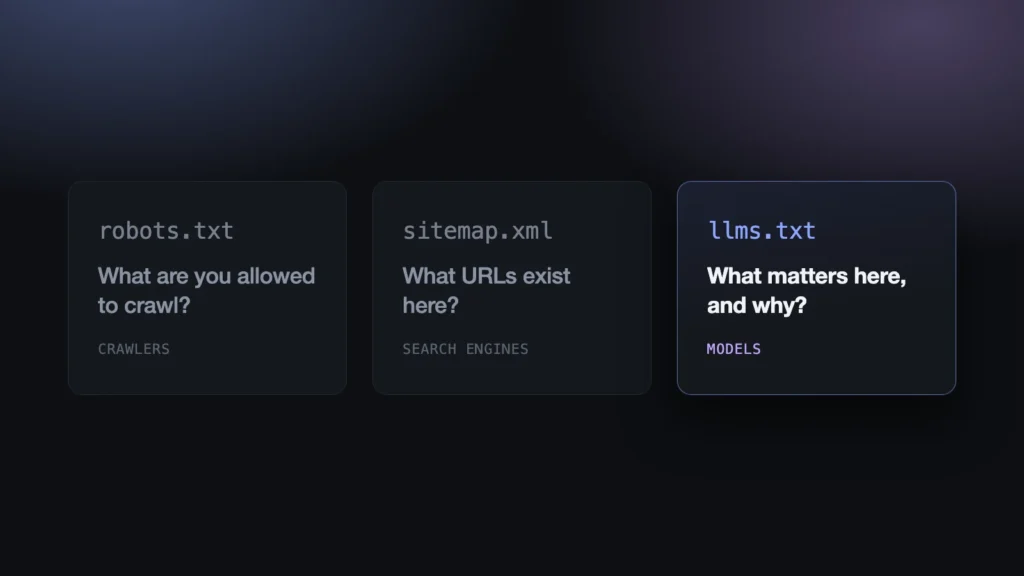
People are increasingly finding websites through an AI assistant rather than a search results page, and an assistant reads a site very differently from a person. llms.txt is the proposed answer: one small Markdown file at your site root that tells an AI tool what is here and what matters. Hostinger Tools now generates it with a single switch, so here is what the file is, what it is not, and what to check once you have one.
What llms.txt actually is
A single Markdown file, served from the root of your site, holding a curated map of what you publish. Jeremy Howard proposed the format in September 2024 and it has been picking up support steadily since.
The reasoning is about cost, not marketing. A web page is built for a person: the information arrives wrapped in navigation, ads and JavaScript. A model has to fetch all of that and strip it back to find the two paragraphs it actually wanted, and context windows are small enough that, as the spec puts it, every wasted token “costs time and money”. Rather than make the machine reverse-engineer your site, you hand it a short list of what is here and why it is worth reading.
The format is deliberately thin. Only the H1 is genuinely required. After it comes an optional blockquote summarising the site, optionally a little prose, and then H2 sections containing nothing but lists of Markdown links with a short note on each. A section named Optional marks the things an agent can skip when it is short on room.
It is not robots.txt, and it is not a sitemap
These three get lumped together constantly, and they answer completely different questions.
| File | Question it answers | Written for |
|---|---|---|
robots.txt | What are you allowed to crawl? | Crawlers, as permissions |
sitemap.xml | What URLs exist here? | Search engines, as inventory |
llms.txt | What matters here, and why? | Models, as an annotated reading list |
llms.txt is the only editorial one. A sitemap lists everything and takes no view; llms.txt is you deciding what is worth someone’s limited attention. It replaces neither of the others, and it grants no permissions — publishing one does not invite anybody in, and leaving a page out of it does not keep anybody away. That is still robots.txt’s job.
One switch in WordPress
On a Hostinger site there is nothing to install and nothing to write. Hostinger Tools, the plugin already running on the site, has an LLM Optimization section with an llms.txt toggle in it. Turn it on and the file appears at your site root, built from your site title and description and the posts and pages you have published — and it is regenerated as that content changes, so it does not quietly go stale the way a hand-written one would.
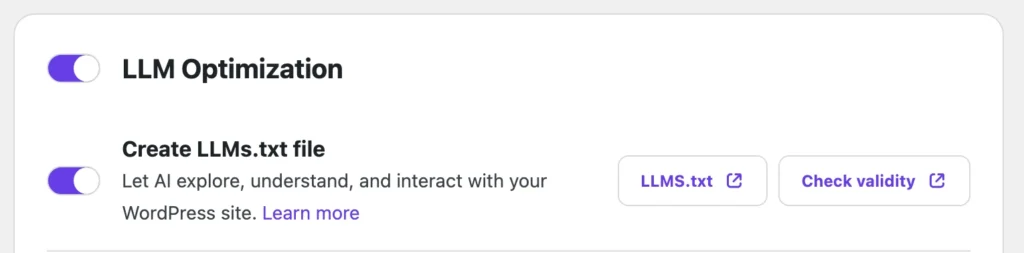
The support article walks through the screens, and there is a longer write-up of the feature on the Hostinger blog. If you want the format itself rather than the button, our tutorial on llms.txt covers writing one by hand.
What comes out looks like this:
# Ada’s Bakery

> A neighbourhood bakery in Bologna: sourdough, cakes to
> order, and a small café.

## Pages

- [About](https://example.com/about/): Who we are, where we
  are, and what comes out of the oven each morning.
- [Order a cake](https://example.com/orders/): How custom
  orders work, lead times and pricing.

## Posts

- [Why we switched flour](https://example.com/2025/05/flour/):
  What changed in the crumb, and what it cost.
Two things worth checking afterwards
Your descriptions. The line after each link is the only thing a model gets about that page without fetching it, and it comes from the excerpt. Where a page has no excerpt, WordPress falls back to an automatic one — the first few dozen words of the content, cut wherever the limit lands. On a page built mostly from headings or a page builder, that can produce something close to gibberish. It is worth opening the generated file once and reading the descriptions as a stranger would. Anything that reads badly is fixed by writing a real excerpt.
Do not invent a robots.txt directive for it. The temptation, since nothing links to the file, is to advertise it the way you would a sitemap. There is no such directive — llms.txt is found by convention at the root — and robots.txt validators, Lighthouse included, fail the whole file on a line they do not recognise. Leave robots.txt alone.
Checking that it parses
Because the file is generated rather than typed, it is easy to assume it is well-formed, and the structure is exactly the part a generator gets wrong. So I built a free validator — llmstxtvalidator.org, put together with Hostinger Horizons. Give it a URL and it fetches the file and checks it against the spec:
- exactly one H1, and it has to be the first thing in the file, comments aside;
- the blockquote summary after the H1 and before any H2 section;
- list items only inside an H2 section, never floating loose;
- every item written as
- [name](url): optional notes; - and no bare prose inside an H2 section — those hold links and nothing else.
None of those rules are hard. All of them are easy to break when a file is assembled by code from whatever a CMS happens to hold. It takes ten seconds, and it is the only way to know that the thing you just published actually parses.
Is it worth doing
Honestly: nobody has promised to read it. llms.txt is a proposed standard, and no major model provider has committed to fetching it. Anyone selling it to you as an SEO tactic with measurable returns is well ahead of the evidence, and I would rather say that plainly than oversell a feature my own team ships.
The case for turning it on anyway is arithmetic. The file is a few kilobytes, it is generated for you, it costs nothing to serve, it cannot hurt your search results, and it does no harm at all if it is ignored forever. That is cheap insurance against a standard that may well matter in a year or two.
And there is a smaller, more certain return. To produce a good llms.txt you have to be able to say, in one honest sentence, what each page on your site is for. Most of us have been avoiding that exercise for years. The file will not let you.